A NEW DESK
BOOKING EXPERIENCE


'%3e%3cpath%20d='M13.0631%2017.7411H18.7832C17.3509%2016.8423%2016.8161%2015.5893%2016.0999%2013.265L13.9515%205.29329C12.9724%201.70693%2012.1656%200.00907939%208.23126%200.00907939H0.00906527V2.1609H1.17849C3.58985%202.1609%203.86181%203.05975%204.57796%205.74726L6.45447%2012.7384C7.43352%2016.1341%208.96555%2017.7411%2013.0631%2017.7411ZM26.3074%2017.7411H32.0276C36.1432%2017.7411%2037.5665%2016.125%2038.5546%2012.7293L40.4311%205.73818C41.1473%203.05068%2041.5008%202.15182%2043.8306%202.15182H45V0H36.8594C32.8344%200%2032.0276%201.61613%2031.1301%205.28421L28.9817%2013.2559C28.2746%2015.671%2027.7307%2016.8423%2026.3074%2017.7411ZM18.7923%2025.2589H26.3074V17.7321H18.7923V25.2589ZM0.00906527%2043H8.23126C12.1656%2043%2012.9724%2041.2931%2013.9515%2037.7158L16.0999%2029.7441C16.8161%2027.4198%2017.3509%2026.1577%2018.7832%2025.2679H13.0631C8.94742%2025.2679%207.42446%2026.8841%206.44541%2030.2798L4.5689%2037.2709C3.85274%2039.9584%203.58985%2040.8573%201.16942%2040.8573H0L0.00906527%2043ZM36.8503%2043H44.9909V40.8482H43.8215C41.5008%2040.8482%2041.1382%2039.9493%2040.422%2037.2618L38.5455%2030.2707C37.5665%2026.8659%2036.1342%2025.2589%2032.0185%2025.2589H26.3074C27.7397%2026.1577%2028.2564%2027.3199%2028.9726%2029.735L31.1211%2037.7067C32.0185%2041.3839%2032.8253%2043%2036.8503%2043Z'%20fill='%237856FF'/%3e%3c/g%3e%3cdefs%3e%3cclipPath%20id='clip0_7_23891'%3e%3crect%20width='45'%20height='43'%20fill='white'/%3e%3c/clipPath%3e%3c/defs%3e%3c/svg%3e)
'%3e%3cpath%20d='M14.9766%2015L30.0234%2030H0L14.9766%2015Z'%20fill='%23FF2638'/%3e%3cpath%20d='M0%200L14.9766%2015L30.0234%200H0Z'%20fill='%23FFC600'/%3e%3cpath%20d='M14.9766%2015L30.0234%2030L45%2015L30.0234%200L14.9766%2015Z'%20fill='%230079F2'/%3e%3c/g%3e%3cdefs%3e%3cclipPath%20id='clip0_7_23898'%3e%3crect%20width='45'%20height='30'%20fill='white'/%3e%3c/clipPath%3e%3c/defs%3e%3c/svg%3e)
'%3e%3cpath%20fill-rule='evenodd'%20clip-rule='evenodd'%20d='M0%2041.4695L8.28853%2035.1113C12.6914%2040.8652%2017.3687%2043.5185%2022.5765%2043.5185C27.7562%2043.5185%2032.3013%2040.8966%2036.5059%2035.1873L44.9118%2041.3919C38.8462%2049.6241%2031.3063%2053.9729%2022.5765%2053.9729C13.8748%2053.9729%206.26226%2049.6538%200%2041.4695Z'%20fill='url(%23paint0_linear_7_23907)'/%3e%3cpath%20fill-rule='evenodd'%20clip-rule='evenodd'%20d='M22.1091%2013.8367L7.3583%2026.5663L0.539062%2018.6462L22.1405%200.00585938L43.5717%2018.6611L36.721%2026.5531L22.1091%2013.8367Z'%20fill='url(%23paint1_linear_7_23907)'/%3e%3c/g%3e%3cdefs%3e%3clinearGradient%20id='paint0_linear_7_23907'%20x1='0'%20y1='47.94'%20x2='44.9118'%20y2='47.94'%20gradientUnits='userSpaceOnUse'%3e%3cstop%20stop-color='%238930FD'/%3e%3cstop%20offset='1'%20stop-color='%2349CCF9'/%3e%3c/linearGradient%3e%3clinearGradient%20id='paint1_linear_7_23907'%20x1='0.539062'%20y1='18.0684'%20x2='43.5717'%20y2='18.0684'%20gradientUnits='userSpaceOnUse'%3e%3cstop%20stop-color='%23FF02F0'/%3e%3cstop%20offset='1'%20stop-color='%23FFC800'/%3e%3c/linearGradient%3e%3cclipPath%20id='clip0_7_23907'%3e%3crect%20width='45'%20height='54'%20fill='white'/%3e%3c/clipPath%3e%3c/defs%3e%3c/svg%3e)

What was
the problem?
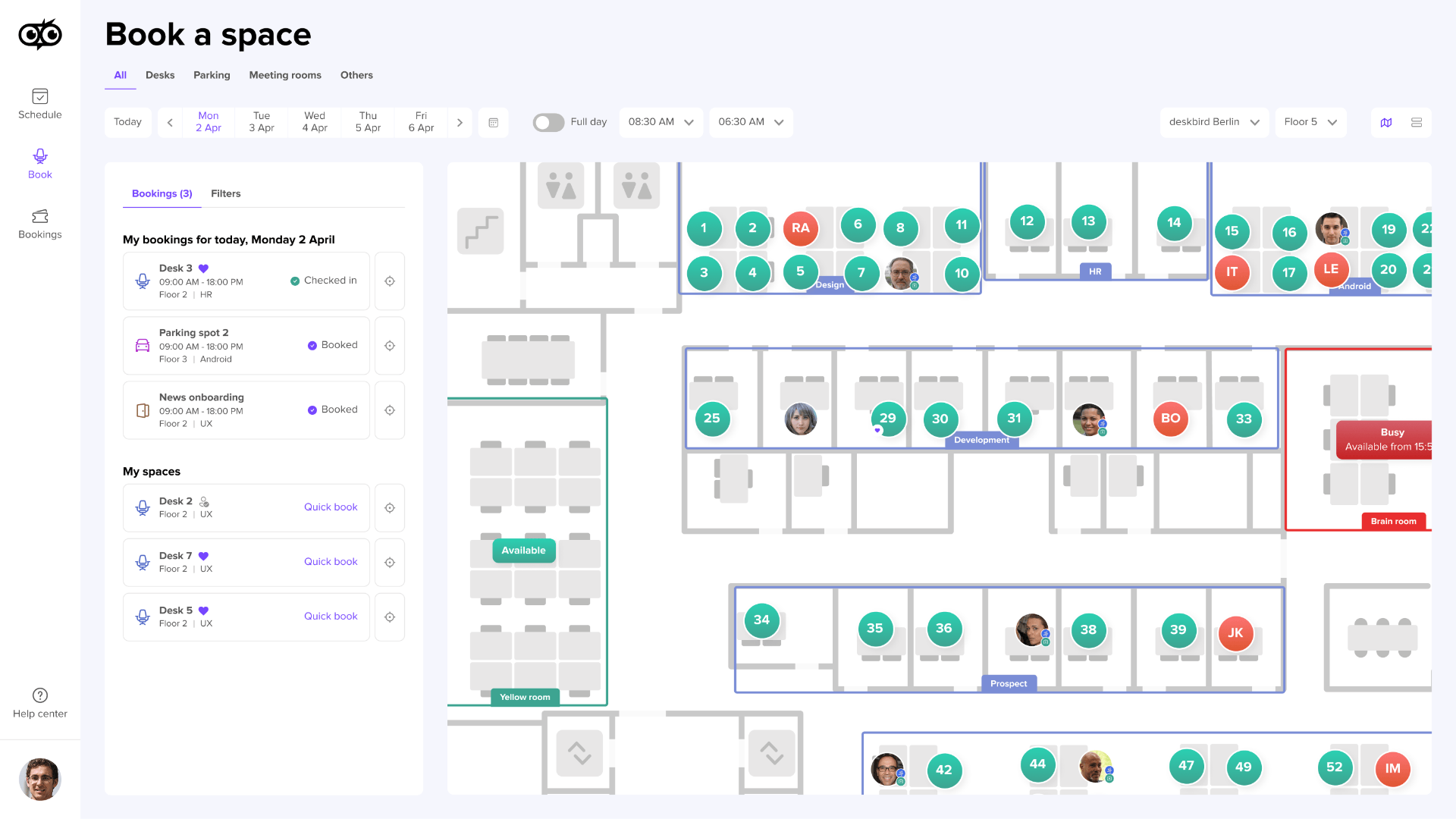
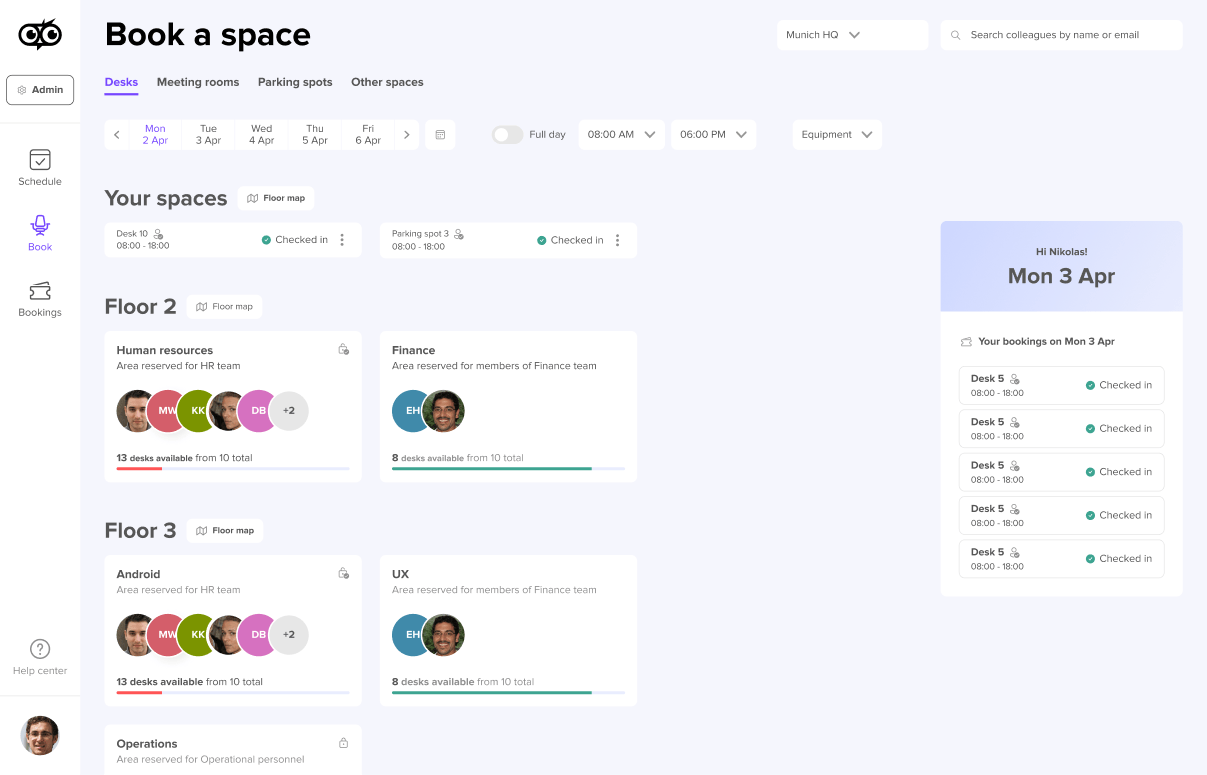
- No global overview of the office
- Disconnected booking experience
- Complex navigation and unclear visual hierarchy
- Booking felt disconnected from space
- Card-based layout that created visual clutter
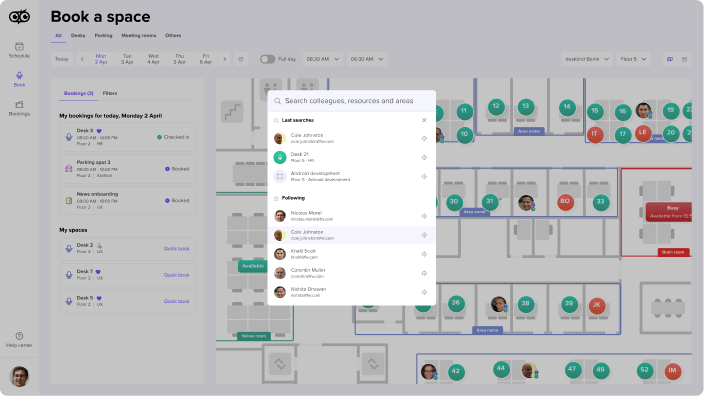
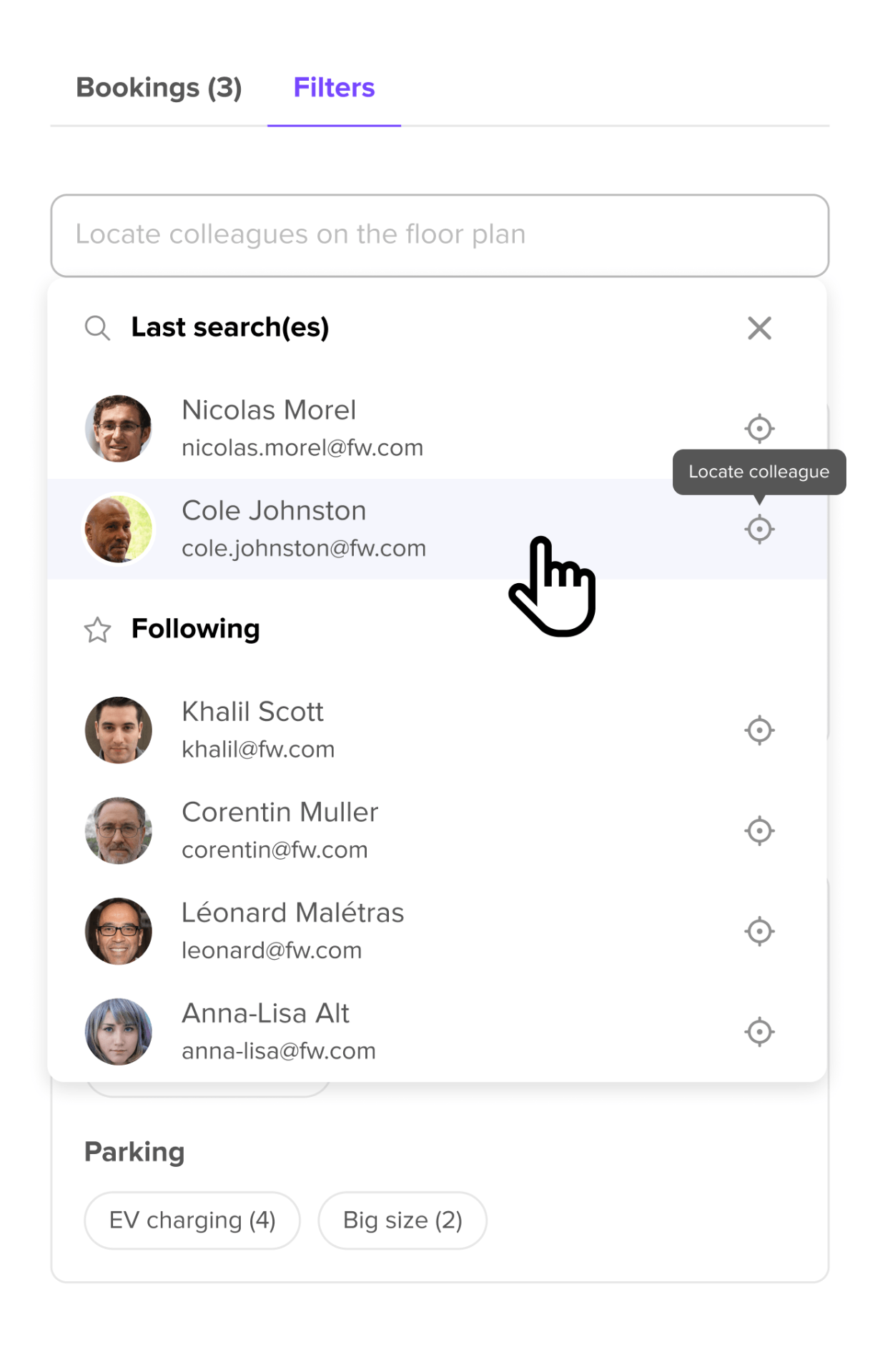
- Difficulty understanding where colleagues were sitting
- Lack of spatial context
Sources of insights
Before visual polish,
we focused on:
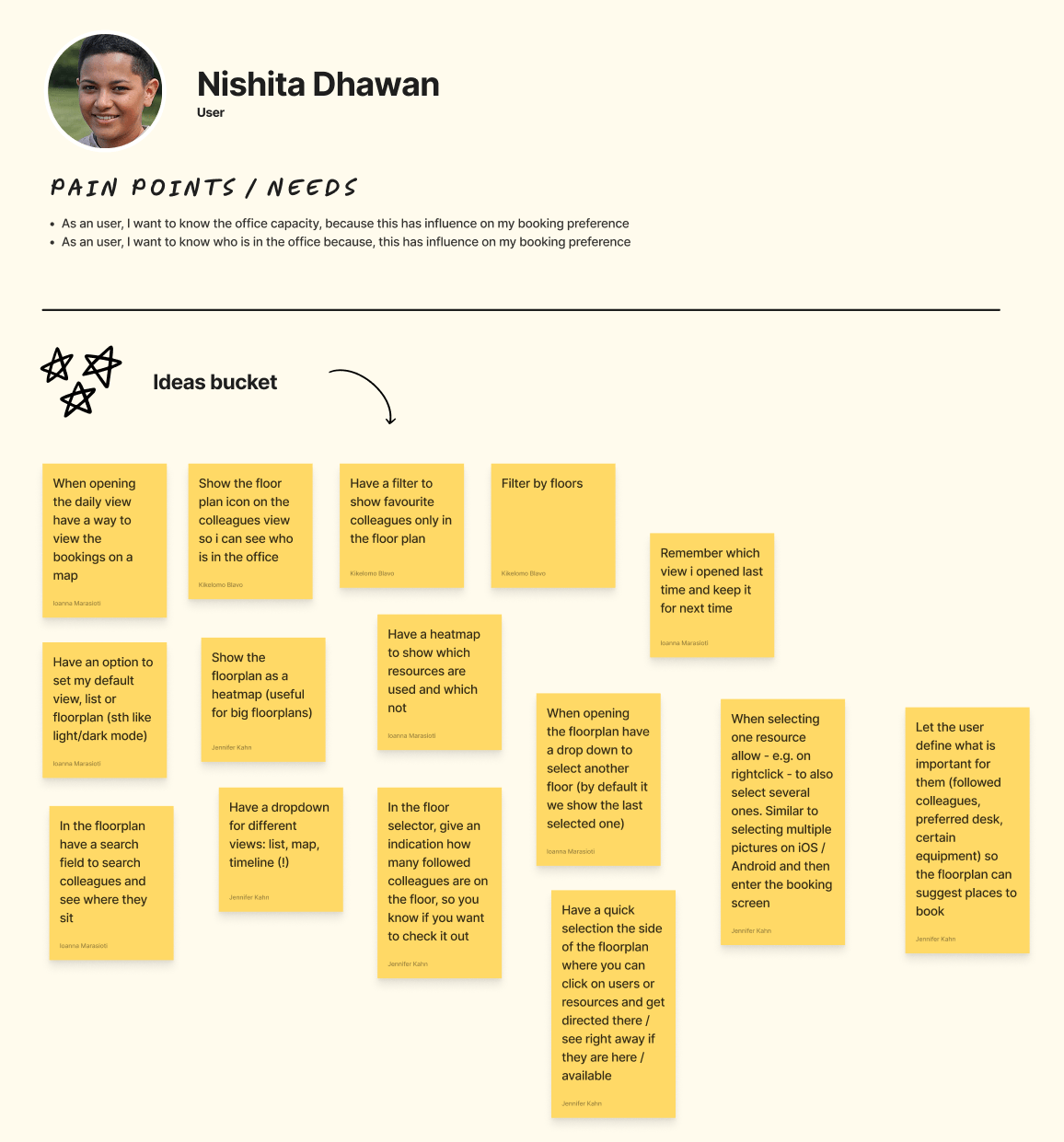
- User profiles and use cases
- Team brainstorming sessions
- Competitive and pattern research
- Rapid layout experiments
130+ screens in Figma
Exploring multiple flows, edge cases, and user scenarios.
Test.
Learn.
Iterate.
- Live prototype tests with real customers
- Internal testing across teams
- On-demand UI validation tools (lyssna.com)
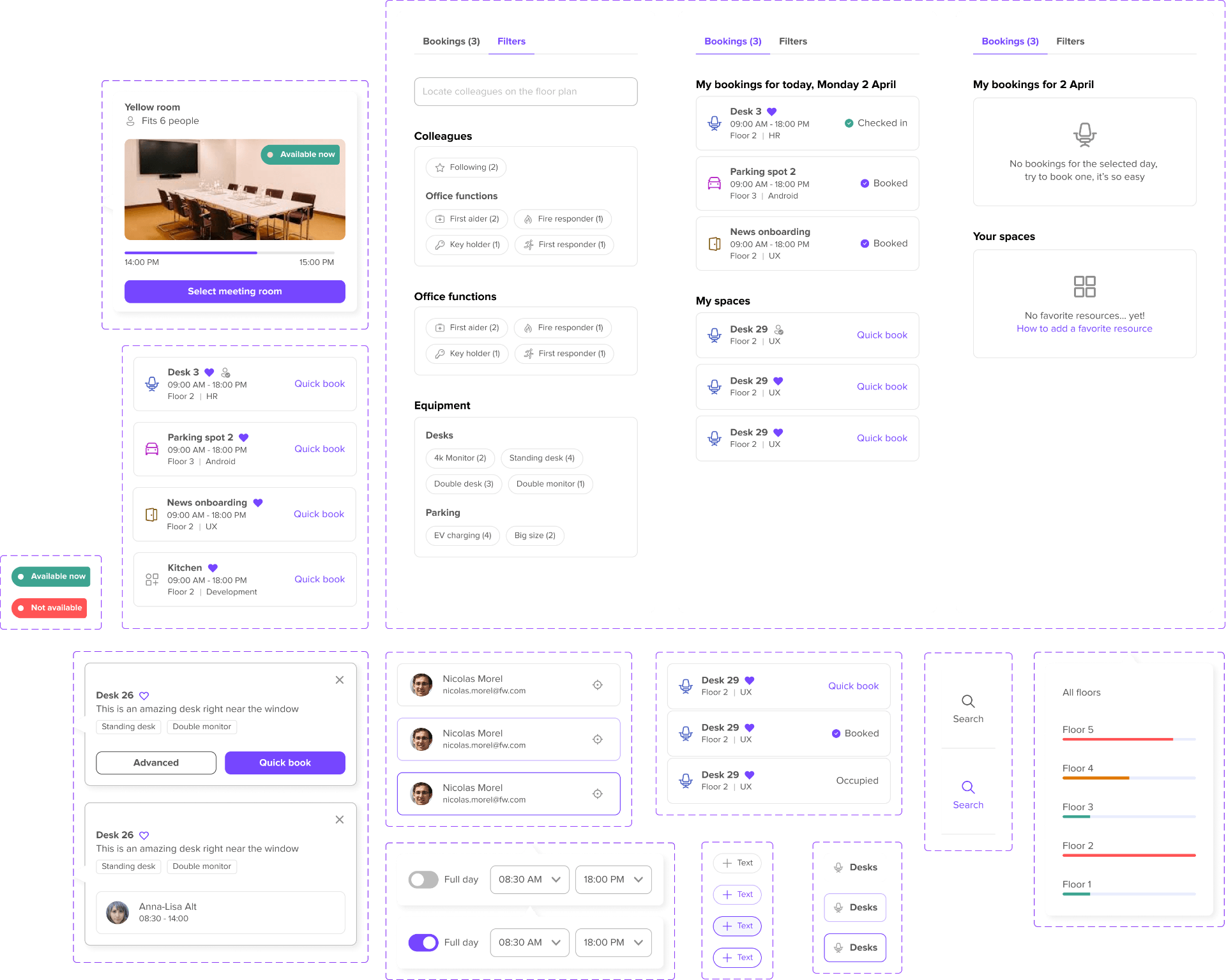
A shared design system
Tokens, components, and patterns shipped together with the new booking experience, so every team builds from the same source of truth.
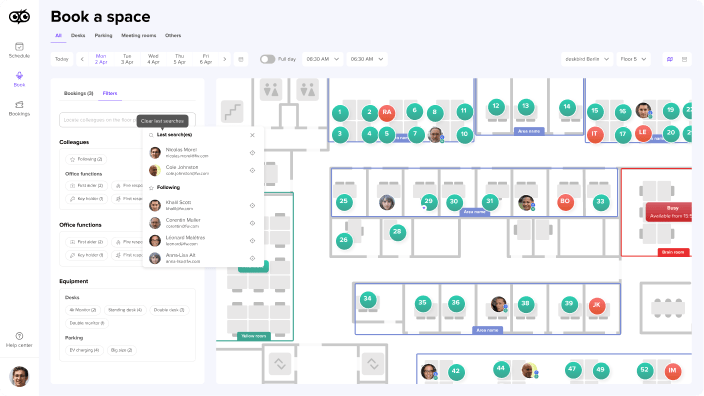
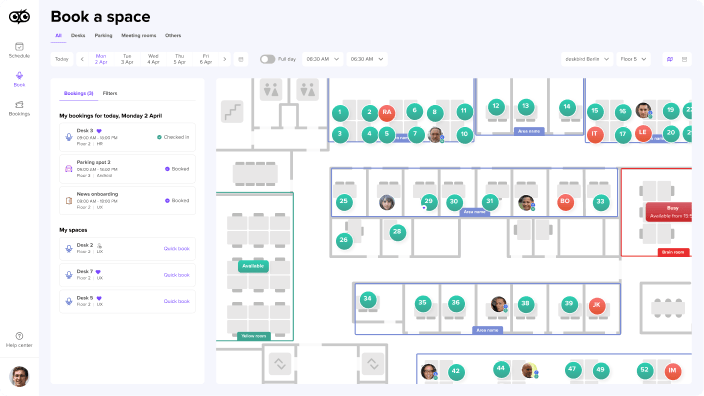
The new Book a space
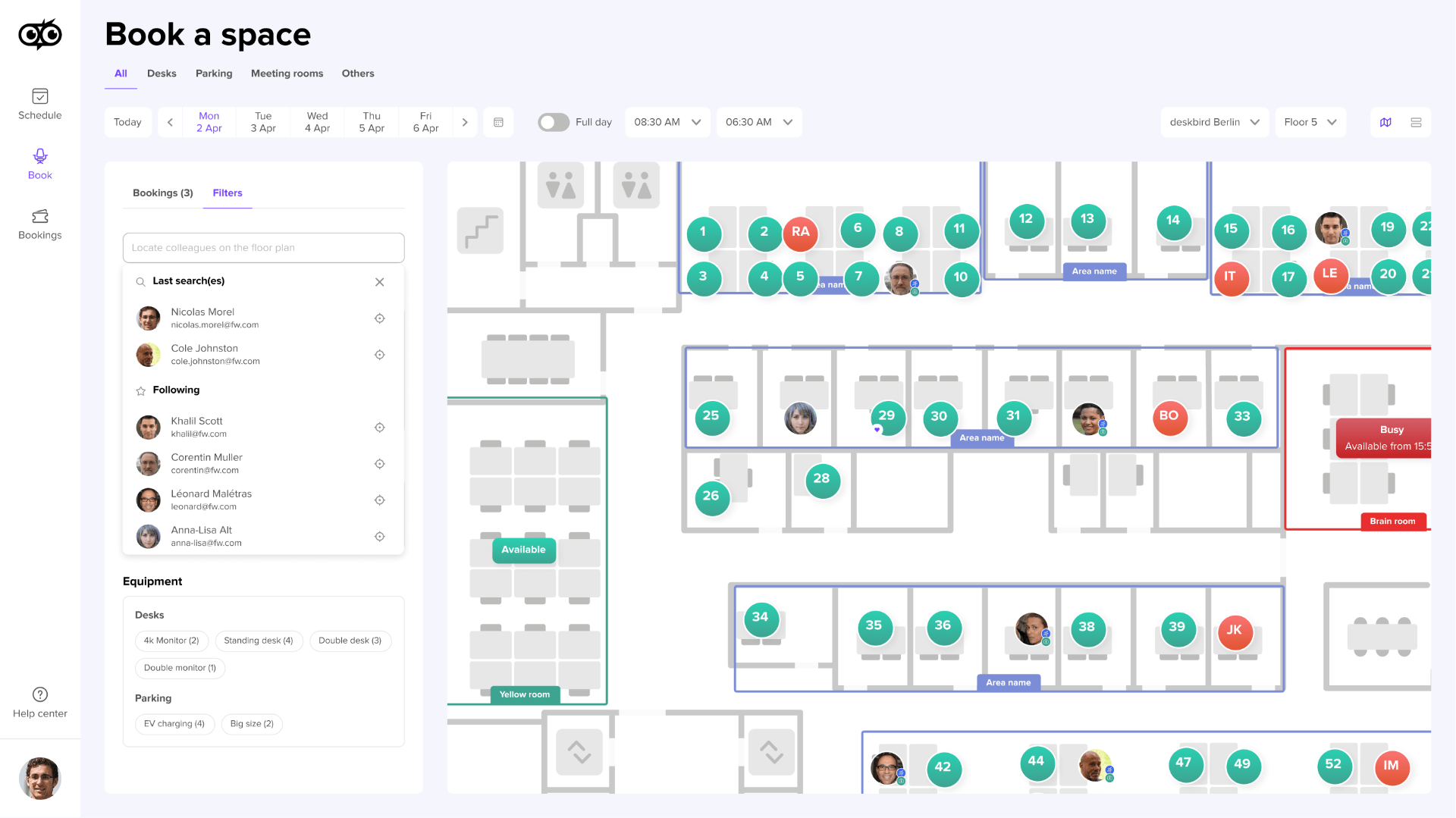
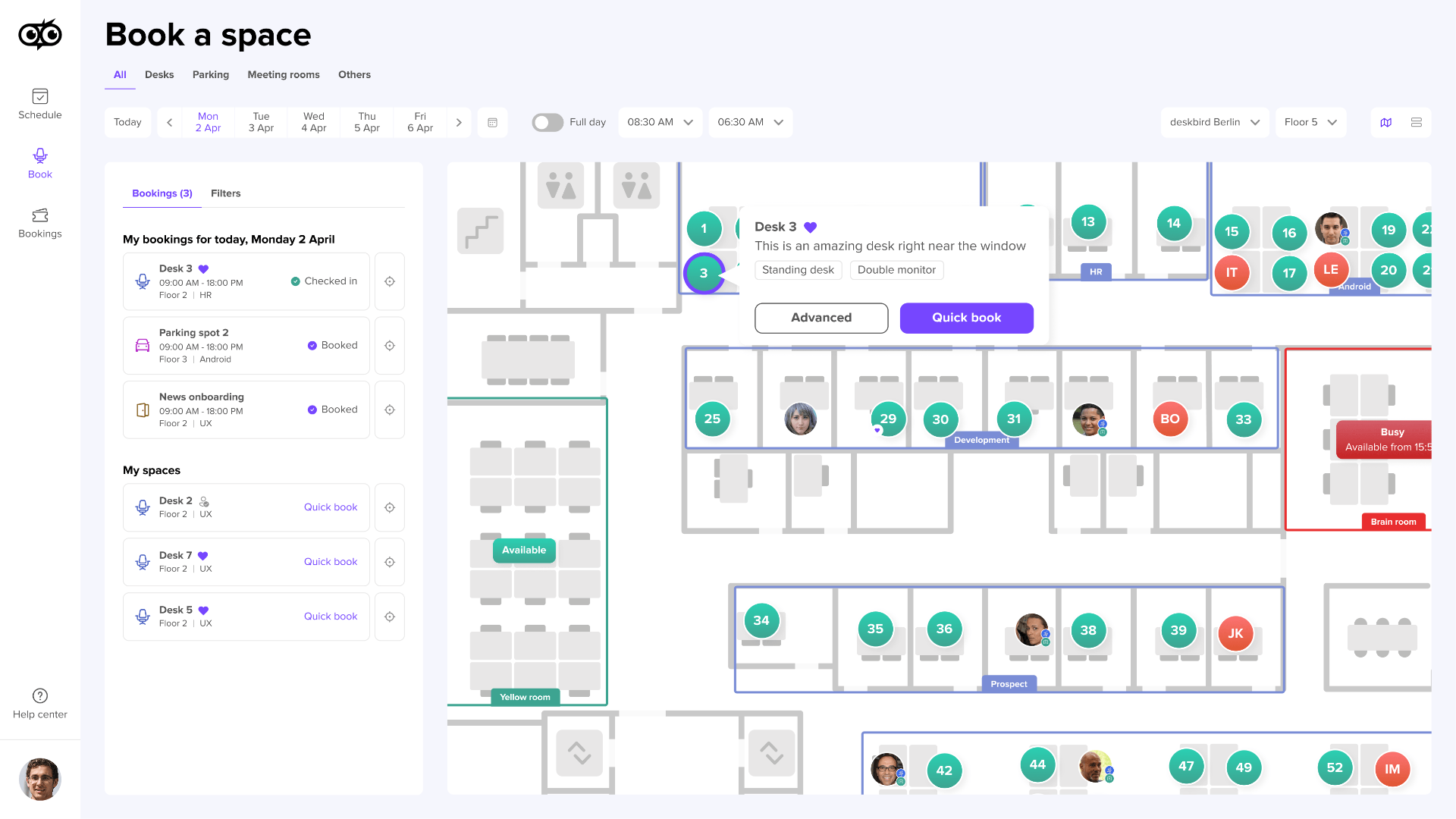
From a cluttered admin into a spatial product people actually want to use.
The numbers above are about how the work was done. These are about what happened once the new booking system shipped, the signals that came back from users and from the customer success team in the months after.
Before the redesign, every new client needed a hands-on walkthrough from customer success. The platform wasn't intuitive enough to figure out on its own. After launch that changed almost completely, new customers picked the product up the way people pick up a well-designed consumer app, without anyone sitting next to them to explain it.
The clearest signal came from the customer success team, the onboarding calls they used to run stopped being necessary.
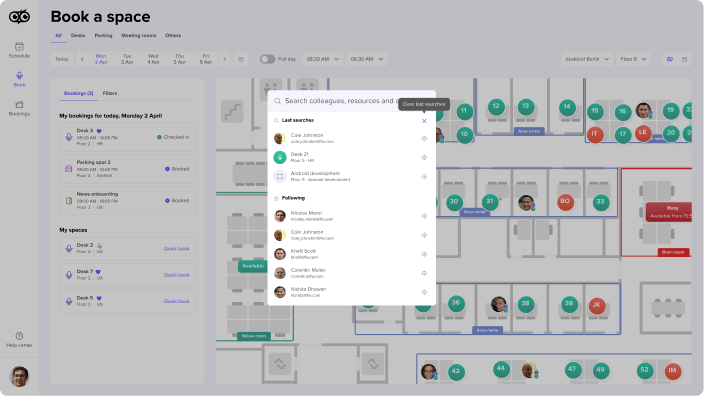
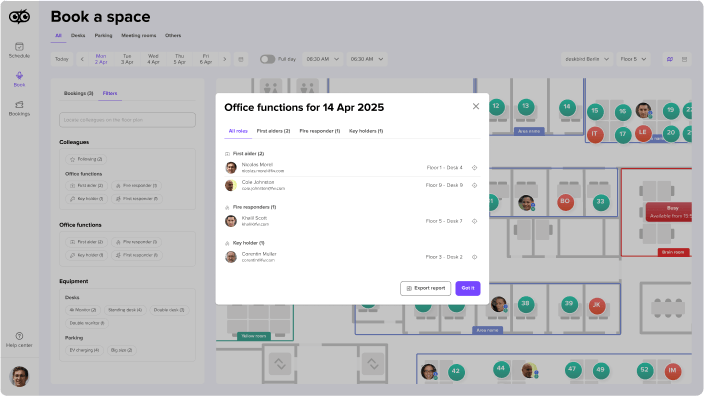
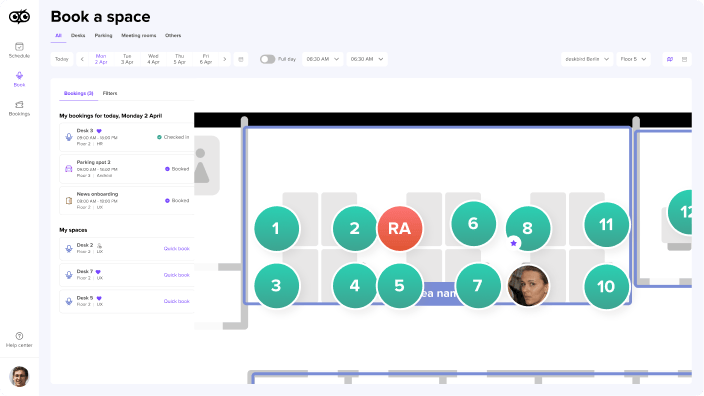
For years, the loudest recurring complaint was that people had no spatial sense of the office. They couldn't see where colleagues were sitting, couldn't find the office manager, the first aid station, or the person responsible for a given area. After the floor-plan-first experience launched, those complaints disappeared. Not because the interface got prettier, but because the spatial context that had been missing entirely was finally there.
Users also reported that booking itself felt faster and required fewer clicks, which was the expected outcome of the new flow.
Booking a desk stopped feeling like filing a request and started feeling like picking a seat, which is what it always should have been.